Version 1.0.0 (build 19), released 27 August 2026. Android 7.0 or newer.
Or install from a store:


Prefer automatic updates? Add the F-Droid repository instead and this page becomes unnecessary.
Blur faces and text so they cannot be recovered. Nothing leaves your phone.
Brutal Blurring paints out the part of a photo you do not want published — faces, plates, addresses, screens — by destroying it rather than covering it. The blur is sized against both the resolution of the photo and the area you painted, wide enough to push a face's contrast under the noise floor, and correlated noise is laid over the top so the region cannot be averaged back into shape. What comes out is color and light, not a person.
Every part of that runs on the phone. The Android release holds no network permission at all, so it cannot open a connection to anywhere. Privacy policy.
Version 1.0.0 (build 19), released 27 August 2026. Android 7.0 or newer.
Or install from a store:
Prefer automatic updates? Add the F-Droid repository instead and this page becomes unnecessary.
| File | cloud.frontier.brutalblurring_19.apk |
|---|---|
| Version | 1.0.0, build 19 |
| Size | 117.5 MB (123213863 bytes) |
| SHA-256 of the file | e925978f0a780034ec5d0b16d7bf3305b4d1e0e7f4056743d368c1241d18ae8d |
| Signing certificate SHA-256 | 82:B8:26:7E:C4:1D:A6:5E:A7:AF:A7:26:BF:FB:77:27:FB:6E:6B:4A:7F:1E:6D:78:2E:F8:B7:60:D0:04:1E:CF |
| Requires | Android 7.0 (API 24) or newer |
| Architectures | arm64-v8a, armeabi-v7a, x86, x86_64 — one file that installs on any of them |
| Permissions | Camera, microphone, photos and videos, vibration. No network permission. |
The download is large for a photo app because it carries the graphics and imaging engine that does the blurring on the device, compiled for all four architectures Android runs on. The copy delivered by Google Play is smaller only because Play strips out the three architectures your particular phone does not need.
Already have it from Google Play? Android will not replace an installed app with a build signed by a different key, and the copy Play delivers is signed by Play rather than by us. So uninstall the Play copy before installing this file, and expect to stay on whichever channel you choose. Uninstalling clears the app's settings; your exported photos are ordinary files in your gallery and are not touched.
Two different things are worth checking, and they answer two different questions.
This catches a truncated download or a tampered mirror. Compare the digest below against the one in the table above.
# macOS
shasum -a 256 cloud.frontier.brutalblurring_19.apk

# Linux
sha256sum cloud.frontier.brutalblurring_19.apk

# Windows, in PowerShell
Get-FileHash -Algorithm SHA256 .\cloud.frontier.brutalblurring_19.apk
Expected:
e925978f0a780034ec5d0b16d7bf3305b4d1e0e7f4056743d368c1241d18ae8dThis is the stronger check. The digest above only proves the file matches a
page that an attacker who controlled the site could also have rewritten; the
signing certificate is a key we hold and cannot be substituted without Android
refusing the install as an update. Use apksigner from the Android
SDK build tools:
apksigner verify --print-certs cloud.frontier.brutalblurring_19.apkExpected:
Signer #1 certificate DN: CN=Brutal Blurring, O=Frontier, C=US
Signer #1 certificate SHA-256 digest: 82b8267ec41da65ea7afa726bffb7727fb6e6b4a7f1e6d782ef8b760d0041ecf
keytool -printcert -jarfile will report not a signed jar
file on this APK and that is not a fault: the file carries v2 and v3
signatures, which keytool cannot read. Use
apksigner.
The claim that the app holds no network permission is checkable from the file
itself, with aapt2 from the same build tools:
aapt2 dump permissions cloud.frontier.brutalblurring_19.apkThe output should list CAMERA, RECORD_AUDIO,
READ_MEDIA_IMAGES, READ_MEDIA_VIDEO,
READ_MEDIA_VISUAL_USER_SELECTED, READ_EXTERNAL_STORAGE,
WRITE_EXTERNAL_STORAGE, VIBRATE and one app-private
permission Android requires for its own internal broadcasts. There is no
android.permission.INTERNET, and no
ACCESS_NETWORK_STATE. The F-Droid client will show you the same list
before it installs anything, without any tooling.
A file you downloaded once will not tell you when it is out of date. Frontier Cloud publishes an F-Droid repository so the F-Droid client can do that for you: it checks for new versions, shows you the permissions and the changelog, and refuses any update not signed by the same key as the copy you already have.
Install the F-Droid client first, from f-droid.org, then add this repository:
| Repository address | https://frontier.cloud/fdroid/repo |
|---|---|
| Fingerprint | 26D463C9E654BA2BE0F8E7D8FF5548F7E3EE4FA59ACB33FAD3540777AE4D2DC2 |
In the client: Settings → Repositories → +, paste the address, and check that the fingerprint it shows you matches the one above before you accept it. Or point your camera at this, which carries the address and the fingerprint together:
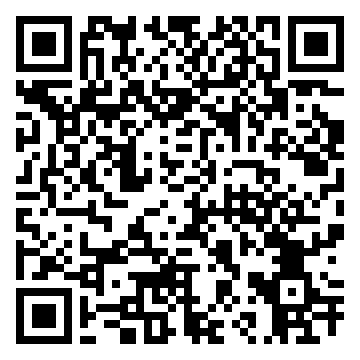
The fingerprint is what makes the repository trustworthy: it pins the key the index is signed with, so nobody who later intercepts your connection to frontier.cloud can offer you a different app. Compare it against this page, over HTTPS, and not against anything a client offers you unprompted.
This repository contains Brutal Blurring only, and the same file this page links to. Previous versions stay in it, so the client can show you what changed and you can go back if you need to.
Obtainium can add the repository above directly, as an F-Droid repository source, which is the route to prefer because the signature is checked for you. Failing that, it will also scrape this page for the APK link.
Write to [email protected]. If you think you have found a privacy or security problem, that address reaches the people who wrote the code; please say so in the subject line.